Summary
Details
Updated September 11, 2026: We have updated the content. Thank you for your patience.
[What and Why:]
Microsoft is introducing a new Recent feed in Viva Engage Home, giving users a chronological view of content from followed communities, followed people, and priority communications. This enhancement complements the existing For you feed, which continues to provide personalized content recommendations.
This update improves personal productivity by providing users with a more predictable way to stay current with the content and communications most relevant to them, while preserving the discovery experience offered through personalized recommendations.
This message is associated with Microsoft 365 Roadmap ID 559482.
[Rollout Schedule:]
- General Availability (Worldwide): Beginning in mid-August 2026 (previously early August); expected to complete by early October 2026 (previously late August)
[Impact on Your Organization:]
Who is affected:
- All Viva Engage users accessing the Home experience.
- Communications teams publishing organizational communications.
- Community managers and leaders who rely on user engagement with community content.
Platforms/Services:
- Viva Engage (Web)
- Viva Engage (Mobile)
- Viva Engage app in Teams (all clients)
What will happen:
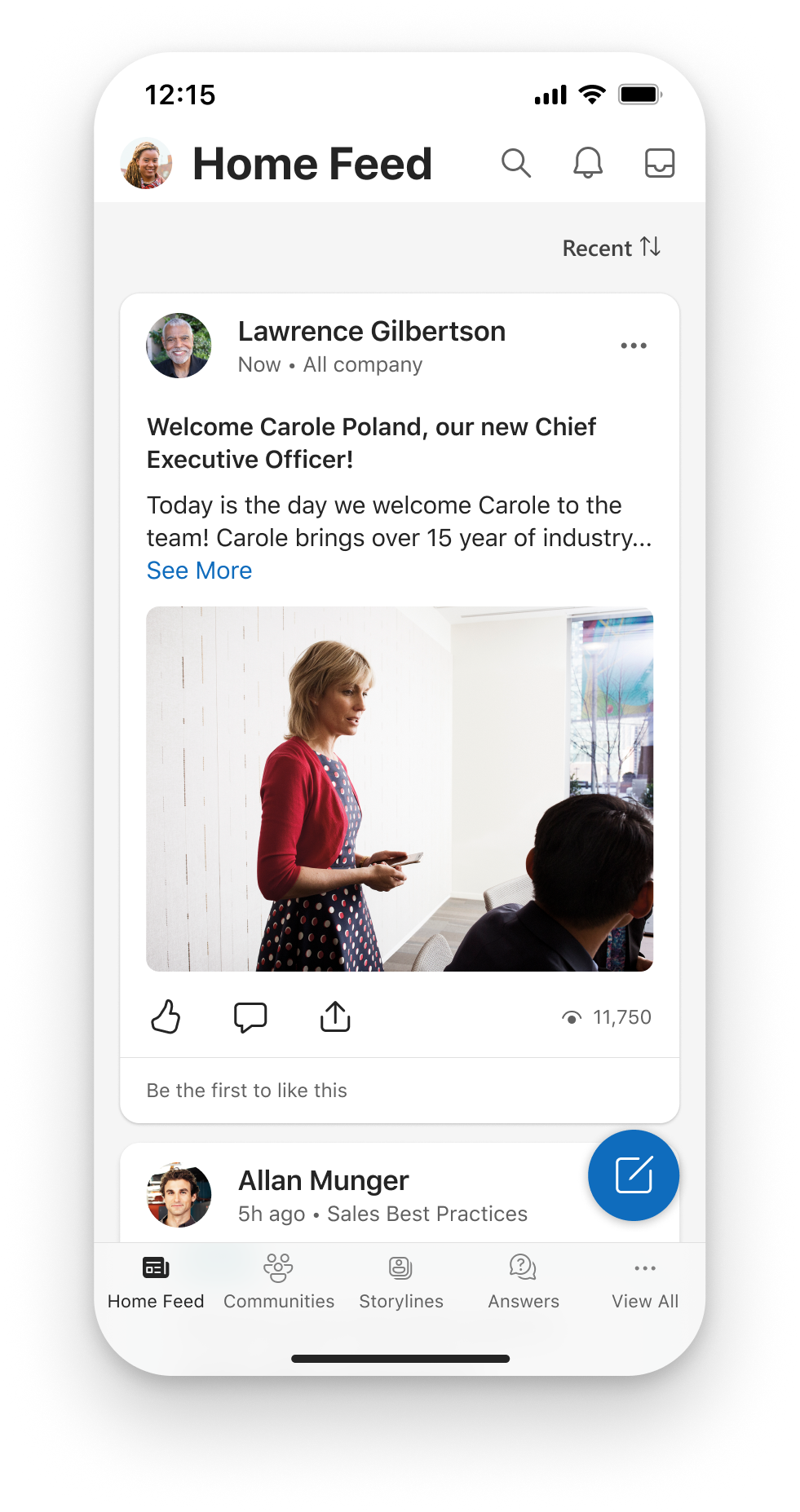
- A new Recent feed option will appear in Home. The default For you feed remains unchanged.
- Users can switch between For you and Recent views.
- The Recent feed displays content in a more chronological and predictable order.
- Content surfaced in Recent includes:
- Posts from followed communities.
- Content from followed people.
- Priority communications.
- The existing For you personalized feed remains available.
- User feed preferences are preserved across web and mobile clients.
- The option to use the feature is enabled by default as part of the service update.
- No tenant configuration changes are required.
Screenshot - Recent feed option in Viva Engage Home
[Action Required / Recommendations:]
No admin action is required.
We recommend that you:
- Review internal Viva Engage adoption materials.
- Inform communications teams about the new feed experience.
- Notify community managers and leaders of the update.
- Prepare help desk teams for user questions.
- Update user documentation where appropriate.
- Monitor feedback after rollout.
[Compliance Considerations:]
No compliance considerations identified, review as appropriate for your organization.
Community Resources

Change History
Never Miss a Microsoft 365 Update
Join thousands of IT professionals who rely on DeltaPulse for real-time Microsoft 365 change intelligence, automated notifications, and community insights.