Summary
Details
[What and Why]
We are introducing Organizational Data in Microsoft 365 to upload and manage Viva Glint employee data through a centralized ingestion experience in the Microsoft 365 admin center. This capability improves data consistency, simplifies administration, and enables reuse of organizational data across Microsoft Viva and Microsoft 365 experiences. It also strengthens security by limiting access to sensitive data to designated administrators, with controls to manage how that data is shared, and supports scalable ingestion options, including connections to HR systems such as Workday and SAP SuccessFactors.
[Rollout Schedule]
- General Availability (Worldwide): We will begin rolling out in mid-July 2026 and expect to complete by early September 2026.
[Impact on Your Organization]
Who is affected
- Viva Glint service administrators
- Microsoft 365 global administrators
- Data owners managing employee data in HR systems such as Workday or SAP SuccessFactors
Platforms/Services
- Microsoft 365 admin center
- Microsoft Viva Glint
- Organizational Data in Microsoft 365
What will happen
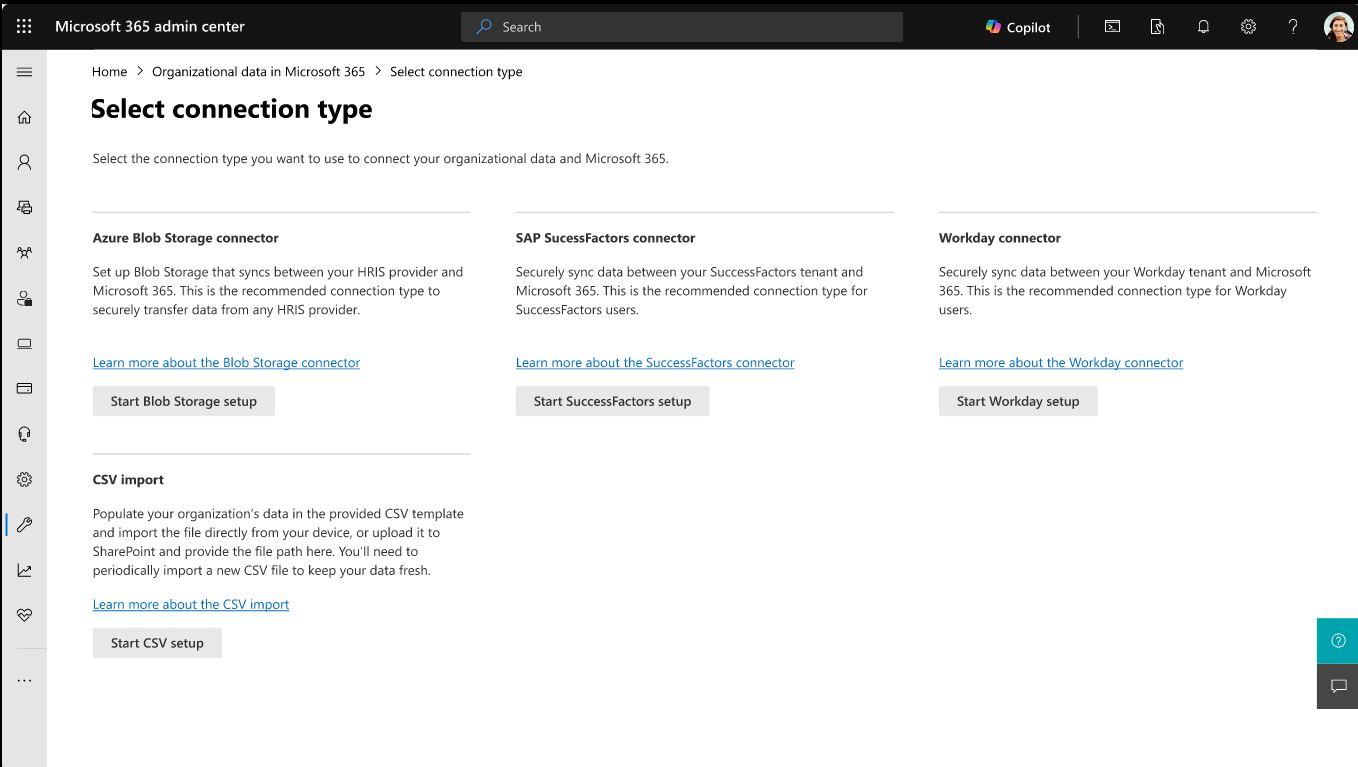
- Administrators can upload Viva Glint organizational data through the Microsoft 365 admin center using a single, centralized ingestion experience across Microsoft 365 and Viva apps.
- Administrators can choose from multiple ingestion methods, including CSV, APIs, Azure Blob Storage, and HR system connectors.
- Organizational data will be centrally managed and reused across Microsoft 365 and Microsoft Viva experiences, including profile, insights, and analytics scenarios, with administrators controlling how and where the data is shared.
- A new role, Organizational Data Source Administrator, will be available to manage data uploads. This role separates data management from product administration to support least-privilege access and governance. These roles may be assigned to the same individual.
- This feature will not migrate existing Viva Glint data automatically.
- Existing Viva Glint ingestion methods will continue to be available.
- This feature is off by default and requires administrator configuration.
[Action Required/Recommendations]
No action is required to continue current operations. Administrators can continue using existing ingestion methods or adopt Organizational Data at their own pace.
To prepare:
- Review your current Viva Glint employee data upload process.
- Evaluate and select your preferred data ingestion method.
- Ensure appropriate roles are assigned, including Microsoft 365 global administrator or supported Microsoft Entra roles.
- Identify the Organizational Data Source Administrator.
- Plan coordination between this role and the Viva Glint service administrator.
After rollout begins:
- In the Microsoft 365 admin center, go to Setup > Migration and imports > Organizational Data > Data connections > New import.
- Perform an initial upload using your selected ingestion method.
- Validate that data ingestion is successful.
Learn more:
- Import and manage your organizational data with a .csv file | Microsoft Viva | Microsoft Learn
- Import organizational data from SAP SuccessFactors | Microsoft Viva | Microsoft Learn
- Import organizational data from Workday | Microsoft Viva | Microsoft Learn
- Import organizational data using API-based import | Microsoft Viva | Microsoft Learn
- Import organizational data with Azure Blob Storage connector | Microsoft Viva | Microsoft Learn
- Organizational Data Source Administrator - Microsoft Entra built-in roles | Role-based access control | Microsoft Entra ID | Microsoft Entra | Microsoft Learn
- Use your organizational data in Microsoft 365 and Microsoft Viva | Microsoft Viva | Microsoft Learn
[Compliance considerations]
This change introduces a new centralized method for ingesting and managing organizational data. Review your organization’s data governance, access controls, and compliance policies as appropriate.
Change History
Never Miss a Microsoft 365 Update
Join thousands of IT professionals who rely on DeltaPulse for real-time Microsoft 365 change intelligence, automated notifications, and community insights.